
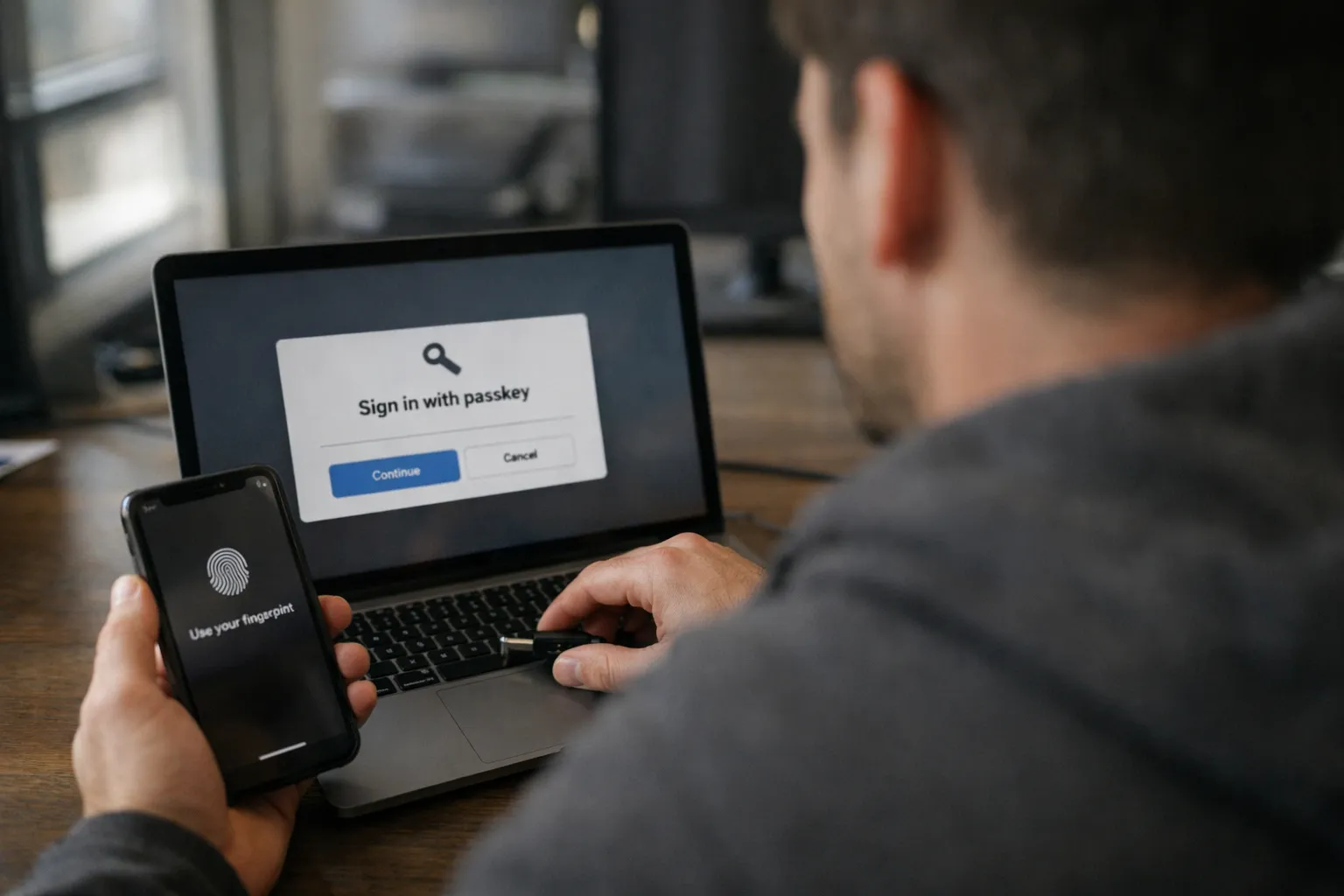
Passkeys—the phishing-resistant replacement for passwords—are no longer an experimental nicety. By July 2026 they’re a mainstream, operational responsibility for SaaS teams that care about both security and user experience. This updated guide is for product managers, engineers, security leads, and growth teams who need a realistic, low-friction plan to roll out passkeys without tanking conversion, support costs, or SSO governance.
You’ll get: updated platform realities for mid-2026, new rollout patterns that reflect real customer behavior, integration notes for IdPs and identity-as-a-service (IDaaS) vendors, an evolved recovery playbook, and metrics that surface the real impact on security and product metrics. I’m Alex Rivera; I’ve been taking apart computers since age eight and explaining them to relatives ever since. Think of this as a field guide: know the tools, expect the edge cases, and don’t let a noble security upgrade become a support bonfire.
Prerequisites / Context: what you should know before you start
Before you ship anything, align on the basics and technical prerequisites.
- Passkey: a phishing-resistant credential stored on a device or synced across devices that signs a login challenge with public-key cryptography. The private key never leaves the authenticator.
- WebAuthn: the W3C browser API used to create and use passkeys (public-key credentials). Your front end will invoke navigator.credentials.create and navigator.credentials.get or use an auth SDK that wraps those calls.
- CTAP2 (Client to Authenticator Protocol 2): the protocol between browsers/devices and authenticators (phones, built-in authenticators, hardware keys).
- Discoverable vs non-resident credentials: discoverable credentials let the authenticator select the account without an email; non-resident credentials require an account identifier (email) first.
- Platform reality (July 2026): Apple iCloud Keychain, Google Passkeys, and Microsoft Authenticator have converged on improved cross-device UX. Browsers have largely harmonized prompts, but subtle differences remain—especially around cross-device provisioning and discoverability.
Operational checklist:
- HTTPS everywhere (WebAuthn requires secure contexts).
- Modern front end or a maintained auth SDK that handles platform quirks. Expect per-OS special cases—document them.
- Identity architecture decision: Are you the Identity Provider (IdP) for your users, or do most customers come via SSO (SAML/OpenID Connect)? That determines which lanes you control.
Privacy note: passkeys reduce credential theft, but your telemetry, analytics, and "remember this device" choices still create privacy signals. Minimize retention of device identifiers, separate audit logs from product analytics, and treat login and recovery events as sensitive.
Step 1: Choose your rollout model (and be realistic about your users)
There are three practical rollout models. Pick the one that matches your user base and support capacity—and be prepared to run multiple lanes in parallel.
-
Passkeys as an optional second factor (phishing-resistant 2FA)
Who it’s for: SaaS with established password + MFA flows that want a low-risk on-ramp.
Why: This reduces successful phishing and credential-stuffing without throwing away passwords overnight. It’s low-friction for users who already use biometric unlock on their devices.
-
Passkeys as a password replacement (passwordless first-party login)
Who it’s for: consumer, prosumer, and SMB tools where device sync is common and strong recovery paths are in place.
Why: Best security and UX if recovery and support are ironed out. This is where you get the biggest win, but mis-stepping on recovery creates churn.
-
Protect high-risk actors first (admin step-up)
Who it’s for: B2B SaaS where a minority of users (admins, billing managers, integrators) hold the keys to the kingdom.
Why: Immediate risk reduction for critical actions while minimizing friction for the broader user base. Often the fastest way to reduce real business risk.
Practical recommendation (July 2026): start with admin step-up + optional for everyone. Use telemetry to identify the MVP conversion funnel and support incidence. After pilot tenants prove the recovery playbook works, expand to passwordless-by-default for tenant types that meet usage and recovery criteria.
Step 2: Fit passkeys into SSO, IdP, and IDaaS realities
In B2B SaaS, many customers authenticate via IdPs (Okta, Microsoft Entra ID, Google Workspace) using SAML or OpenID Connect (OIDC). In those cases, primary authentication often belongs upstream at the IdP.
Patterns and recommendations you should treat as policies, not suggestions:
- SSO-only tenants: Passkeys should be managed by the customer’s IdP. Your responsibility is to document how tenant-level policies (e.g., require passkeys) affect sign-in flows and to honor IdP signals that block local authentication.
- Hybrid tenants (SSO + local accounts): Protect local accounts with passkeys and treat them as break-glass. Explicitly deny local password login if a tenant enforces SSO to avoid weaker paths.
- Different lanes for different customers: Offer first-party passkeys for SMBs and rely on SSO for enterprise; unify governance so both lanes map to the same account model and admin controls.
Security gotcha: An email used by both SSO and local accounts is a common attack vector. Define precedence, and consider blocking local passwords for emails federated to an IdP.
Step 3: UX flows — registration, login, and fallback (UX wins or fails this project)
Passkeys succeed or fail on UX. The cryptography is the easy part; the "which device do I use?" and "how do I get back in?" are where real users live.
3.1 Registration (creating a passkey)
- Offer at the right moment: prompt "Add passkey" after a successful login or during onboarding—don’t block the initial path for users who need to get work done.
- Explain in plain language: "Use Face ID, fingerprint, or a security key—faster and safer than passwords." One brief sentence reduces support calls.
- Offer device options: "Save on this device" vs "Use phone to create a passkey." Cross-device creation (phone-to-desktop) is better in 2026 but still requires clear copy and an obvious QR-code flow.
- Show confirmation and metadata: show an editable device label, platform, and last-used timestamp so users can manage credentials without calling support.
3.2 Login (passkey-first, without confusing people)
- Passkey-first when safe: If a discoverable credential exists, surface "Sign in with passkey" prominently. Avoid hiding it behind "more options."
- Email-first fallback for multi-account users: Let users enter their email to disambiguate which account to use; then present the relevant passkeys.
- Make fallback explicit: "Try another method" should reveal password, SSO, recovery, and hardware key choices in one tap—don’t hide recovery behind multiple screens.
3.3 Fallback strategy (the part you’ll be judged on)
Your recovery and support experience determines whether passkeys reduce risk or create a support tsunami.
- Recovery codes: still useful—treat them like a physical spare key. Encourage users to store them in a password manager or print them. Rotate after use.
- Recovery via verified authenticators: prefer app-based verification or push to a registered authenticator rather than SMS. SMS is acceptable only as a secondary factor with additional risk checks.
- Admin-assisted recovery (B2B): tenant admins can help recover accounts but require strong controls: reproofing, logs, and an approval workflow.
- Escorted, time-delayed recovery: for consumer accounts, combine a time delay with multiple verification steps (email + verified phone + risk scoring) to reduce automated abuse.
Rule of thumb: never let recovery be weaker than what passkeys replaced. If you secure authentication with passkeys but allow account recovery via only email, attackers will pivot to compromising that email.
Step 4: Implement WebAuthn correctly — the practical checklist
Don’t reprint the spec—use this pragmatic checklist to avoid common pitfalls and to adapt to 2026 platform behavior.
- RP ID and origins: set the RP ID to your eTLD+1. If you run multiple subdomains (app.example.com, admin.example.com), make sure your RP ID strategy covers them or provide clear redirects.
- Server-generated challenges: random, single-use, short-lived. Verify challenge, origin, and RP ID on the server for both registration and authentication.
- Store only necessary fields: credential ID, public key, signature counter, device label/metadata. Avoid logging raw attestation blobs into general analytics—treat them as sensitive.
- Attestation policy: for most SaaS, accept "none" or privacy-preserving attestation. Reserve strict attestation for customers who require device allowlists (regulated or high-security tenants).
- Support multiple credentials per account: users register phones, laptops, and hardware keys. Don’t restrict them to one passkey.
- Validate signature counter logic: use the counter to detect cloned authenticators; implement logic for legitimate counter resets (some authenticators may legitimately reset after device restore).
Build vs buy: IDaaS vendors and auth SDKs have improved their passkey tooling in 2025–26. If you use a provider (Okta, Auth0/Okta Customer Identity, Microsoft Entra External ID, Google Identity Platform, AWS Cognito, WorkOS), test their passkey flows end to end—especially discoverable credentials, cross-device creation, and recovery tooling. Your goal is fewer bespoke crypto mistakes, not more.
Step 5: Admin controls and tenant policies
SaaS is multi-tenant responsibility. The best authentication feature is the one admins can enforce and that your product surfaces clearly.
- Tenant policy controls: allow tenant admins to require passkeys for all users or for specific roles. Provide an audit trail for policy changes.
- Step-up authentication: require a passkey for billing changes, data export, OAuth app management, API key rotation, and SSO configuration changes.
- Session and device management: show registered passkeys, platform, last-used time, and let admins revoke credentials as part of incident response.
- Allowlists and exceptions: for customers that forbid synced credentials, offer a hardware-key-only tenant mode and document implications for device loss and recovery.
A tenant that can’t enforce safer login is an accident waiting to happen.
Step 6: Recovery and support playbook — write it like a real script
Draft the playbook before launch and train support on it; they’ll be the ones running it in the middle of the night.
- Define proofing levels: low-, medium-, and high-assurance flows with clear evidence requirements and SLAs. Example: high-assurance requires tenant-admin sign-off or notarized documents for enterprise accounts.
- Lost-device flow: allow removal of a passkey if the user has an active session elsewhere or another registered credential. Provide a clear UI for removing a lost device from the account.
- No-access flow: if a user has no passkeys and no active sessions, require stronger identity proofing (time delays, secondary verifiers, tenant-admin approval for B2B).
- Audit and notification: every recovery event is high-risk—emit auditable logs, notify the user and tenant admins, and record the investigator and evidence.
Operational script example: When a user reports a lost device: (1) confirm identity via active session or recovery code; (2) revoke lost-device passkeys; (3) require reproof or tenant-admin approval if no other credential exists; (4) log and notify. Put this script in your support knowledge base with canned responses.
Step 7: Measure rollout success — both security and product metrics
Passkeys are both a security control and a product change. Track both to understand impact.
- Adoption metrics: percentage of active users with ≥1 passkey; percentage of logins using passkeys; platform breakdown (iOS, Android, Windows, macOS); time-to-first-passkey after onboarding.
- Product/UX metrics: sign-in success rate, time-to-login, drop-off at the authentication step, and sign-in-related support tickets per 1,000 users.
- Security metrics: account takeover incidents, MFA bypass attempts, recovery abuse events, and suspicious login alerts post-rollout.
- Reliability metrics: WebAuthn error codes frequency, browser/OS compatibility failures, and cross-device completion rates for passkey creation.
Benchmarks (operational guidance): early adopters typically see meaningful passkey login volume within months in consumer products and faster for admins in B2B. Use A/B tests for prompt language and timing; messages emphasizing speed and convenience—"Sign in faster with Face ID"—often beat abstract security copy.
Common mistakes to avoid
- Thinking passkeys are “set and forget”: lifecycle management—add, rename, revoke, and audit—matters.
- Making recovery too easy: if recovery requires only an email link, you’ve shifted the attack to the email provider.
- Assuming single-device users: shared devices, kiosks, contractors, and shift workers break simplistic assumptions.
- Only one credential per user: expect multiple devices and hardware keys.
- SSO bypass holes: allowing password login on SSO-required tenants undercuts admin policies.
- Logging sensitive auth material: don’t dump raw credential IDs, challenges, or attestation blobs into general analytics.
Pro tips (what experienced SaaS teams do differently)
- Start with admin step-up: requiring passkeys for billing and security settings reduces real risk quickly and demonstrates value to customers.
- Offer a "hardware-key only" tenant mode: for high-security customers, make it configurable and pair it with mandatory admin-assisted recovery.
- Use risk-based fallback: require extra verification (device fingerprinting, velocity anomalies) before allowing email-based magic links after passkey loss.
- Maintain a platform quirks matrix: document browser/OS behavior (expected prompts, known failure modes) so support and QA can reproduce issues quickly.
- Train support with scripts and recordings: support needs to explain passkeys vs password managers, cross-device creation, and recovery steps without improvising.
Regulatory and compliance considerations
Passkeys align well with recommendations for phishing-resistant MFA in many frameworks. For SOC 2, ISO 27001, GDPR and sector-specific rules, document how passkeys affect access control, logging, and recovery. If you collect attestation data or device identifiers, include retention and minimization policies in privacy notices and data maps. For regulated customers, provide an attestation and device-allowlist option and document the operational trade-offs.
Fresh examples and vendor realities (July 2026)
Platform and vendor support continued to mature through 2024–26. Practical notes for July 2026:
- Major platform vendors (Apple, Google, Microsoft) improved cross-device provisioning and user education flows; test cross-device creation and discoverable credential behaviors across the latest OS versions.
- Auth providers (Okta, Auth0/Okta Customer Identity, Microsoft Entra External ID, Google Identity Platform, AWS Cognito, WorkOS and others) now provide passkey SDKs and templates but implementation behaviors and default policies vary—test end to end and read the default attestation and recovery settings.
- Hardware security keys (YubiKey, others) remain critical for customers that disallow synced passkeys. Offer both device-bound and hardware-key lanes and document recovery for each.
- Password managers increasingly provide encrypted passkey backup and syncing. Treat these backups as a factor in your threat model and advise customers on trade-offs.
Test on real devices and with actual customers. "Passkeys supported" and "passkeys that don’t confuse your users" are two different things—the gap lives in UX and recovery.
FAQ
Are passkeys the same as a password manager?
No. Password managers store and autofill shared secrets (passwords). Passkeys use public-key cryptography via WebAuthn: the private key remains on the authenticator and never travels to your server. Some password managers now offer encrypted passkey sync; treat those as backup tools—not replacements for WebAuthn semantics.
Do passkeys work with enterprise SSO (SAML/OIDC)?
Yes—but typically at the IdP level. Many enterprises implement passkeys inside their identity provider (Okta, Microsoft Entra, Google Workspace). Your responsibility is to support strong SSO enforcement, avoid local fallback where tenants require SSO, and document how tenant policies affect local and IdP-managed passkeys.
What’s the safest recovery approach if a user loses all devices?
For B2B, admin-assisted recovery with audit trails and tenant approval is usually the strongest approach. For consumer SaaS, combine multi-step verification (time-delayed recovery, verified phone/app push,